Depth makes the pattern more than one layer thick, in two ways:
- Pattern depth carries the pattern down into the layers under the surface.
- Raise tiles builds tiles up above the top in new layers, per tile group.
It’s the last section of the Pattern step’s sidebar. Depth is part of TessaFab Pro: start the 14-day trial or add a licence from the edition badge.
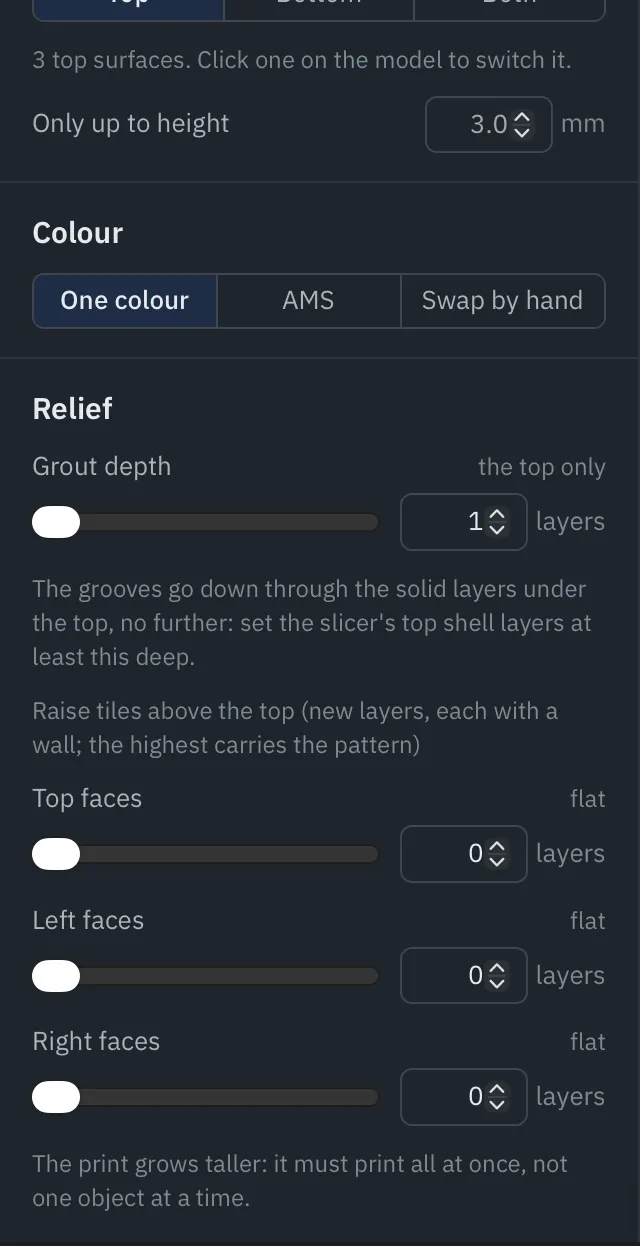
Pattern depth
Set in layers; 1 (the surface only) patterns the surface alone. Deeper, the layers under it get the same tiles and line directions:
- On the top, grout and all, so the grooves between tiles are cut deeper.
- On a patterned bottom, the tiles without grout: the bottom lies on the plate, so a groove there would print as a gap.
The pattern goes through solid layers only and stops where they do, so set your slicer’s top and bottom shell layers at least this deep before slicing. The extra layers’ lines all run the tiles’ way rather than crossing the layer below, which can make them a little less strong.
Raise tiles
Each tile group has its own number of layers to raise (0, flat, by default). Raised tiles are printed in new layers above the original top, each with a wall, and the highest layer carries the pattern. Raise one group and leave the others flat for a strong, tactile pattern.
Note. Raising tiles makes the print taller, so it must print all at once, not one object at a time. Check your slicer’s print sequence.
Depth shows in Preview like everything else, and the command line applies a project’s depth too.